










How to Reset an E-Bike Battery: Complete BMS Reset Guide
If your electric bike suddenly stops charging, shuts off mid-ride, or shows incorrect power levels, a battery reset is often all it takes to restore normal performance. Your e-bike battery is the heart of the whole system, and a healthy Battery Management System (BMS) is what keeps your range, power delivery, and charging accurate over time.
This guide walks through how to reset an e-bike battery, how to wake up an e-bike battery that won't respond, what to do if your charger shows green but the battery isn't charging, and when it's time to stop troubleshooting and call in professional help.
Signs Your E-Bike Battery Needs a Reset
A reset is usually the fastest fix when the BMS becomes misaligned. Watch for these signs:
1. Reduced Riding Range
Fewer miles per charge than usual doesn't always mean worn-out cells, it's often a BMS calibration issue. A reset helps the system measure remaining capacity accurately again.
2. Inconsistent or Weak Power Delivery
Power surges, motor hesitation, or uneven acceleration usually point to the battery and controller falling out of sync. a classic reset trigger.
3. Charging Problems (Charger Shows Green, Battery Won't Charge)
If your charger switches to green almost immediately but the battery percentage doesn't move, the BMS may be stuck or misreading voltage. This is one of the most common reset-worthy faults.
4. Incorrect Battery Level Readings
A display that jumps from 80% to 20% instantly, or won't update while riding, usually needs a BMS recalibration.
5. Sudden Shutdowns During Rides
Unexpected power loss under load or on hills often means the BMS has triggered a false protection mode. A reset clears these false triggers.
6. Persistent Error Messages
Warning codes that reappear after checking all connections usually point to BMS confusion rather than hardware damage.
Safety Precautions Before Resetting
- Power down the e-bike completely before starting any reset procedure.
- Remove the battery and main cables to eliminate the risk of short circuits.
- Check your manufacturer's manual — BMS configurations vary by brand.
- Wear protective gear — insulated gloves, safety glasses, and non-conductive tools.
- Inspect and clean the terminals — dirt, moisture, or corrosion on the battery and charger contacts can prevent a successful reset.
How to Reset an E-Bike Battery (General Method)
This procedure works for most lithium-ion e-bike systems, though you should always confirm against your model's manual first.
1. Perform a Full Charge and Full Discharge (BMS Recalibration)
Charge the battery to 100% using the manufacturer-approved charger, then ride until it discharges completely and the motor shuts off naturally. This full cycle helps the BMS correct inaccurate voltage readings.
2. Let the Battery Rest
Switch off the e-bike and leave the battery unused for several hours after discharge. This resting period lets the cells stabilise and equalise, which is especially useful for correcting inconsistent power delivery or incorrect percentage readings.
3. Fully Recharge the Battery Again
Plug back in and charge to 100% without interruption, using only the approved charger in a cool, dry area. This teaches the BMS the correct upper voltage limit.
4. Repeat the Cycle if Necessary
Some batteries need 2–3 full charge–discharge cycles, particularly if the percentage still reads inaccurately, power cuts out under load, or the bike won't wake from sleep mode after long storage.
5. Diagnose Further If Problems Continue
If performance doesn't improve, the issue could be cell imbalance, BMS failure, damaged wiring, or a faulty charger. At this stage, a professional battery test or a firmware update (if supported) can confirm whether the battery is repairable or needs replacing.
How to Wake Up an E-Bike Battery
If your battery seems completely unresponsive: no lights, no charging indicator, it may have entered a protective sleep mode rather than failed outright. Connect it to the manufacturer-approved charger and leave it plugged in for several minutes without disturbing it. Most BMS units will detect stable voltage from the charger and reactivate automatically. If nothing happens after 15–20 minutes, disconnect, reconnect, and try again before assuming a fault.
Does This Apply to E-Scooter Batteries Too?
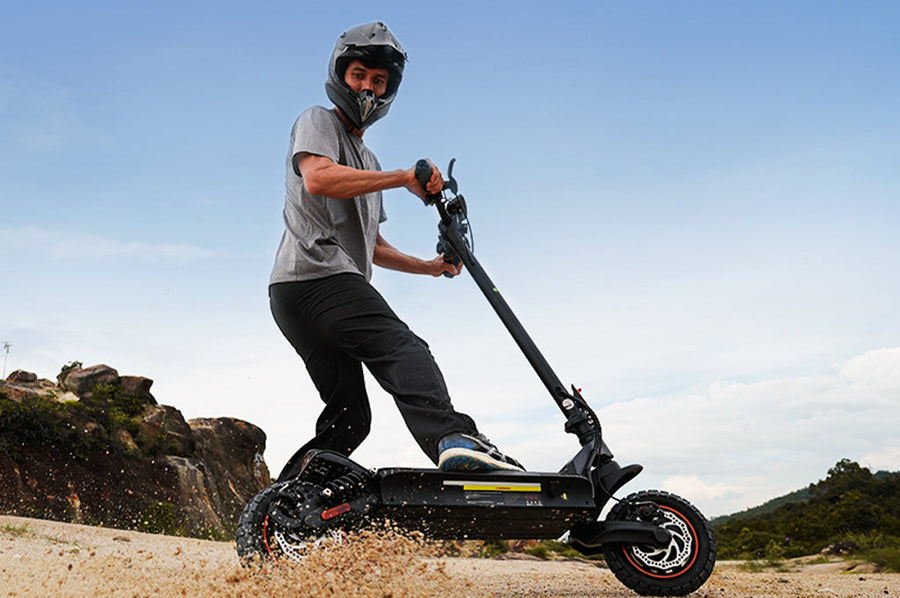
The same BMS principles apply to electric scooter batteries: a full charge–discharge cycle, a rest period, and a full recharge can resolve similar symptoms like inaccurate percentage readings or a charger that shows green without charging. If you're troubleshooting an e-scooter rather than an e-bike, the steps above still apply, just check your specific model's manual for any BMS reset button or app-based reset option.
When Should You Ask for Professional Help
- Errors that won't go away after multiple reset attempts usually mean a deeper fault, BMS failure, wiring damage, or a controller issue that a reset can't fix on its own.
- Weak or declining performance — quick draining, not reaching full charge, shutting off under load, or unusual heat, often points to cell degradation rather than a BMS glitch, and typically needs repair or replacement.
- No improvement after safe reset steps. At this point, contact the e-bike manufacturer or a certified repair centre. They can run advanced diagnostics, update firmware, and safely inspect high-voltage components.
Strategies to Maximise Your E-Bike Battery Lifespan
1. Avoid Overcharging
Unplug the charger once the battery hits 100% rather than leaving it connected overnight.
2. Store in a Cool, Dry Place
Avoid direct sunlight, heat, or freezing conditions, which all reduce battery performance and lifespan over time.
3. Check Battery Health Regularly
Routine checks on charge levels, connections, and any sudden performance drops help you catch problems early.
4. Use the Correct Charger
An unapproved or damaged charger can harm the BMS and shorten battery life. Always use the manufacturer-approved charger and replace damaged ones immediately.
How Often Should You Reset Your E-Bike Battery?
A reset isn't routine maintenance, it's an occasional troubleshooting step:
- When you notice performance issues — reduced range, inconsistent power, or charging problems.
- After long periods of inactivity — especially if the battery has drained completely in storage.
- When the BMS shows glitches — incorrect readings or unexpected shutdowns that clear after a reset.
Conclusion
Learning how to reset an e-bike battery is a simple way to fix common issues like charging faults, power loss, or inaccurate readings. A full charge–discharge cycle helps the BMS recalibrate and usually restores normal performance. If problems persist after resetting, it's best to get professional support but for most riders, a straightforward reset is the quickest way to get back on the road.
FAQs
My e-bike battery isn't charging but the charger shows green, what does that mean?
This usually means the BMS is misreading voltage rather than the battery being faulty. Disconnect and reconnect the battery, then try a full charge–discharge reset. If the charger still shows green without any change in battery percentage, the cells or BMS may need professional diagnosis.
How do I reset an e-bike battery without a reset button?
Not all batteries have a dedicated reset button. Remove the battery, disconnect it for a few minutes, then reinstall and fully recharge, this achieves the same recalibration effect through a standard charge cycle.
Does resetting the BMS work the same way on an electric scooter battery?
Yes. The same full charge, rest, and recharge cycle applies to most electric scooter batteries, though it's worth checking your model's manual for any brand-specific reset steps.
iScooter E Scooter Collections:
Electric Scooter | Kids Electric Scooter | Electric Scooter for Adults | Electric Scooter with Seat | Off-Road Electric Scooter | Foldable Electric Scooter | Girls Electric Scooter | 1000W Electric Scooter | 2000W Electric Scooter | Boys Electric Scooter | Dual Motor Electric Scooter | Big Electric Scooter | Electric Scooter with Suspension | Lightweight Electric Scooter | Commuter E-Scooters | 3 Wheel Electric Scooter
Show more ▼iScooter E Bike Collections:
Foldable Electric Bike | Affordable Cheap Electric Bike | Electric Bike for Adults | Electric Motor Bikes | Trek Electric Bike | Fastest Electric Bike | Electric Road Bike | Full Suspension Electric Mountain Bike | Giant Electric Bike | Womens Ladies Electric Bike | Mens Electric Bike | Electric Bike with Throttle | Electric Gravel Bike | Electric Mountain Bike UK | Fat Tyre Electric Bike | Electric Hybrid Bike | Electric Motorised Bike | Electric Push Bike | 1000W Electric Bike | Cool Electric Bikes | Electric Off Road Bike | Pedal Assist Electric Bike | Good Electric Bikes | Small Electric Bike | Trek Electric Mountain Bike | 2000W Electric Bike | Full Suspension Electric Bike | Mini Electric Bike | Road Legal Electric Bike | Step Through Electric Bike
Show more ▼👍 Buying Guide | 🚴♂️ Riding Guide
📋 Feature Guide | ❓ Common problem

Product category
Electric Scooter
Cheap Electric Scooters for Adults | Fastest Electric Scooter | Kids Electric Scooter | Mini Electric Scooter
Electric Bike
U4 Foldable E-bike | EB3S E-MTB
Hoverboards
Electric Scooter for Kids | iK3Pro E-Scooter for Kids | iK7 Height Adjustable Kids E-Scooter









Article tags :
Leave us a message